例7:ジオメトリ分解で仮想ジオメトリを使用
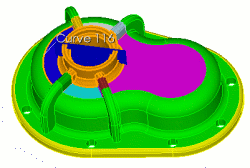
Virtual Geometryは、基礎となるジオメトリを変更せずにメッシュ特性を変えるために使います。次の例では、不要なSliver Curveを除去し、Sweep可能なVolumeを作るためにVirtual Geometryを使用します。Composite Curve機能で、わずかに曲がったSurfaceをWebcutしたときにできるSliver Curveをまとめます。続いてPartition SurfaceコマンドでSurfaceに追加Partitionを作成し、Sweep可能性を確保します。
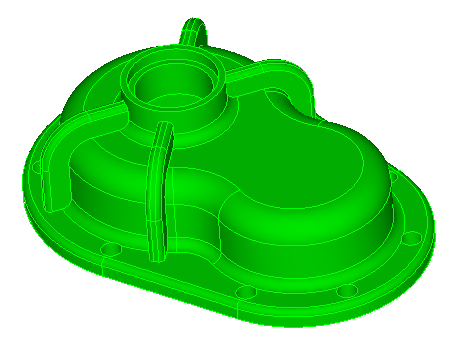
推奨Webcut
| Webcut | コマンド |
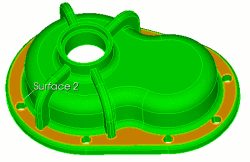 |
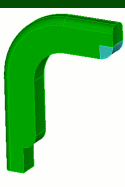
CUBIT> webcut volume 1 sweep surface 2 vector 0 0 -1 through_all |
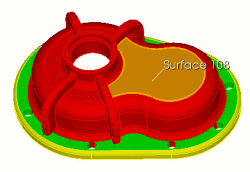 |
CUBIT> webcut volume 3 sweep surface 108 vector 0 0 -1 through_all |
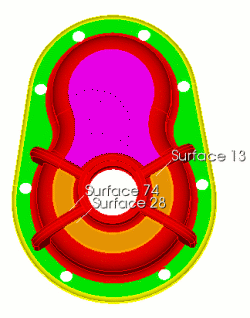 |
CUBIT> webcut volume 3 sweep surface 13 vector 0 0 -1 through_all CUBIT> webcut volume 3 sweep surface 28 vector 0 0 -1 through_all CUBIT> webcut volume 3 sweep surface 74 vector 0 0 -1 through_all |
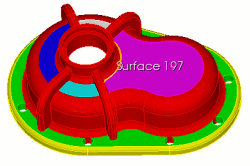 |
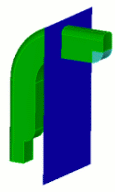
CUBIT> webcut volume 3 with sheet extended from surface 197 |
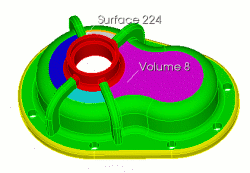 |
CUBIT> webcut volume 8 with sheet extended from surface 224 |
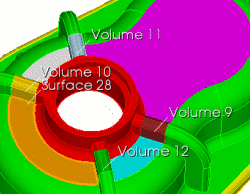 |
CUBIT> webcut volume 11 10 12 9 with plane surface 28 |
|
|
CUBIT> webcut volume 3 with plane normal to curve 116 fraction 0.5 |
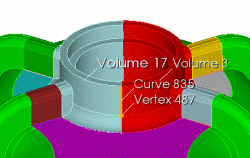 |
CUBIT> webcut volume 3 17 with plane normal to curve 835 close_to vertex 487 |
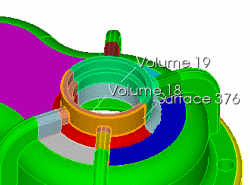 |
CUBIT> webcut volume 18 19 with sheet extended from surface 376 |
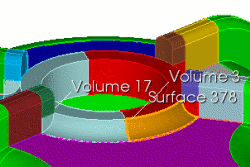 |
CUBIT> webcut volume 3 17 with sheet extended from surface 378 |
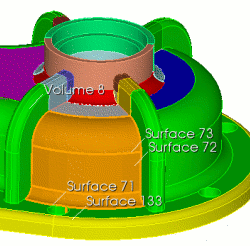 |
CUBIT> webcut volume 8 with sheet extended from surface 73 CUBIT> webcut volume 8 with sheet extended from surface 72 CUBIT> webcut volume 8 with sheet extended from surface 133 CUBIT> webcut volume 8 with sheet extended from surface 71 |
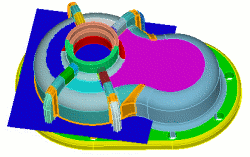 |
CUBIT> webcut volume 8 with plane vertex 709 vertex 713 vertex 702 |
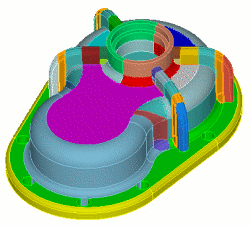 |
CUBIT> unite volume 36 45 CUBIT> unite volume 37 43 CUBIT> unite volume 35 44 CUBIT> unite volume 39 42 |
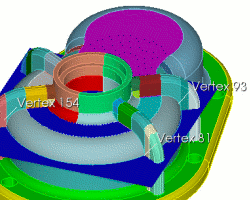 |
CUBIT> webcut volume 29 with plane vertex 81 vertex 93 vertex 154 |
|
CUBIT> unite volume 33 36 50 11 CUBIT> unite volume 10 49 37 31 CUBIT> unite volume 12 52 35 34 CUBIT> unite volume 9 51 39 32 CUBIT> unite volume 9 22 CUBIT> unite volume 12 23 CUBIT> unite volume 20 33 CUBIT> unite volume 21 10 |
|
|
|
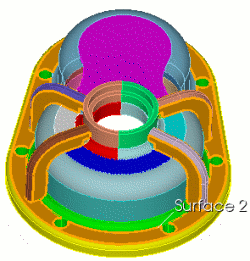
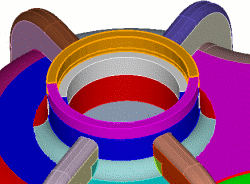
CUBIT> webcut volume 12 with plane vertex 86 vertex 71 vertex 76 CUBIT> webcut volume 9 with plane vertex 99 vertex 101 vertex 103 CUBIT> webcut volume 20 with plane vertex 140 vertex 138 vertex 135 CUBIT> webcut volume 21 with plane vertex 165 vertex 163 vertex 160 各補強リブを図の形状になるようWebcutする手順です。各補強リブに同じ操作を繰り返します。この手順では、後でCompositeして除去する必要があるSliver Curveも生成されます。 |
 |
CUBIT> webcut volume 70 65 59 54 with plane surface 2 |
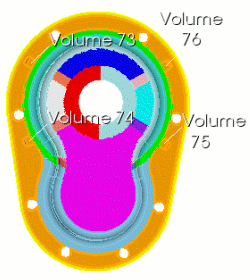 |
CUBIT> unite volume 1 76 75 73 74 |
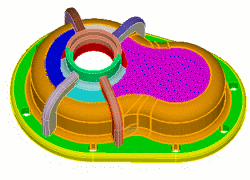 |
CUBIT> unite volume 28 47 46 41 48 38 8 30 29 40 |
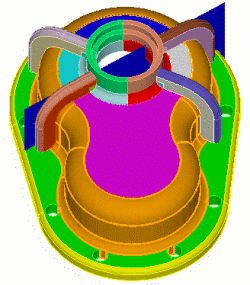 |
CUBIT> webcut volume 28 with plane surface 870 CUBIT> webcut volume 28 77 with plane surface 871 CUBIT> webcut volume 28 77 with plane surface 878 CUBIT> webcut volume 28 77 with plane surface 879 |
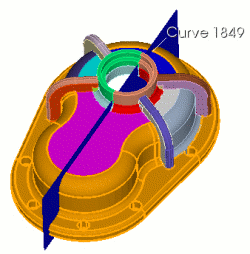 |
CUBIT> webcut volume 1 81 2 82 with plane normal to curve 1849 fraction 0.5 |
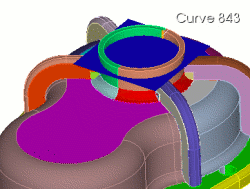 |
CUBIT>webcut volume 19 18 with plane normal to curve 843 fraction 0.75 |
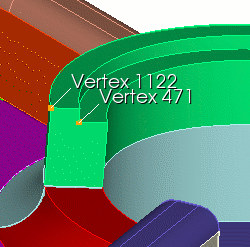 |
CUBIT> create curve vertex 1122 vertex 471 on surface 1134 |
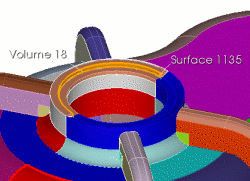 |
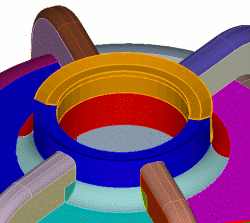
CUBIT> webcut volume 19 sweep curve 2073 along curve 2042 through_all CUBIT> webcut volume 18 with sheet extended from surface 1146 CUBIT> webcut volume 18 with sheet extended from surface 1135 |
 |
CUBIT> unite volume 91 92 CUBIT> delete curve 2073 |
 |
CUBIT> unite volume 89 18 CUBIT> unite volume 88 19 CUBIT> imprint all CUBIT> merge all |
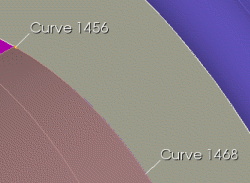 |
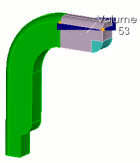
Webcutでできた短いCurveをComposite CUBIT> composite create curve 1456 1468 |
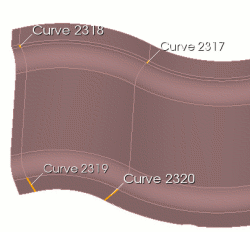 |
既存Vertexを使って図のPartitioned Curveを作成 CUBIT> partition create surface 1067 vertex 311 175 |
 |
この例ではメッシュ生成順序が重要です。VolumeをメッシュするとCurveとSurfaceの分割数が固定されるため、隣接Volume間ですべての分割数を一致させる必要があります。通常はメッシュアルゴリズムが分割数の整合を処理しますが、Volumeを特定の順序でメッシュした方がよい場合があります。この例では、メッシュ順序によって最終メッシュ品質も大きく変わります。 CUBIT> reset volume all |
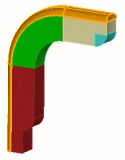
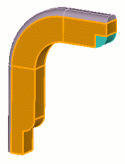
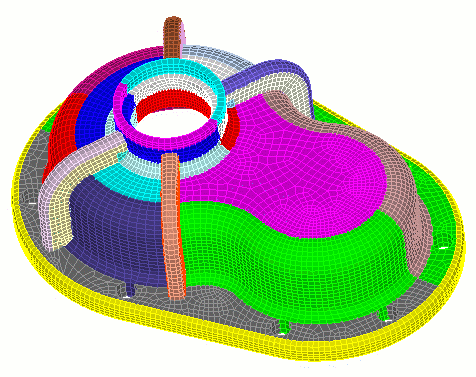
最終メッシュ
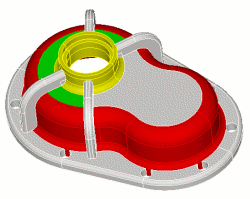
最終メッシュを以下に示します。